Take Back Control and Unlock Success with the Google Business Profile Roadmap Now in 2026

Imagine unlocking your business’s full potential on Google—only to let it slip away because you assumed your profile was “set and forget. ” In 2026, that approach risks not just missed opportunities, but Google itself taking over your narrative. Your Google business profile roadmap is no longer a background asset—it's now a high-impact, always-on marketing channel that can drive visitors through your door or let them slip to the competition. Are you in control, or is Google filling the gaps for you?
What You'll Learn in This Google Business Profile Roadmap
- How the Google Business Profile roadmap impacts your search results and boosts your local SEO
- Key changes for business profiles that affect your online presence
- Step-by-step tasks to manage your business proactively
- Techniques for leveraging customer reviews and business information
Why the Google Business Profile Roadmap Is Essential in 2026
If you’re a business owner who created a Google profile years ago and haven’t touched it since, 2026 is your wake-up call. Google has fundamentally transformed business profiles from static listings into dynamic, interactive channels that directly impact local search rankings, customer reviews, and your overall online presence. Today, if your profile isn’t kept current, Google steps in—pulling information from the web, competitors, or even customer-submitted edits. That means your business information, special offers, phone number, and business description might not reflect your business’s true strengths—or worse, could mislead potential customers. Don't let this disaster happen.
This roadmap is designed especially for owners who know the dangers of passive management: loss of control, inaccurate details, missed calls, and even negative reviews left unresolved. The move from “set it and forget it” to “maintain or be replaced” is real. Mastering the Google Business Profile roadmap means not only protecting your brand but also attracting more customers and staying ahead of competitors in local SEO and local search results. Google won’t wait for you to catch up—take back control before your profile becomes a liability.
From Static Asset to Live Channel: The 2026 Shift
Once-upon-a-time, setting up your business profile on Google meant entering your details and moving on. But in 2026, your profile is a live channel—a heartbeat of your local SEO and real-time connection to potential customers. With consumers expecting up-to-the-minute info, and competition in the search and map pack tighter than ever, a neglected profile fades fast in the rankings. Google now indexes posting activity, photo freshness, review responses to both good and bad reviews, and more. This creates new opportunities to showcase your business—if you stay current—but also new risks if you don’t.
Businesses that treat their profiles as passive assets watch as competitors who update regularly are bumped up in search results, getting more calls, questions, and foot traffic. The biggest shift? Inaction is visible. A “quiet” profile signals to Google (and customers) that you might not be open, active, or attentive, which means Google is likely to show alternatives that better reflect real-time relevance. If you want to show your business in its best light, proactive management is the new baseline—not an optional extra.
The Real Risk: Google Fills Gaps in Your Business Profile
The most urgent, overlooked risk in 2026 is that if you don’t actively manage your google business profile roadmap, Google will take over—automatically populating your profile with information it finds elsewhere online. This can include user-submitted edits, web-crawled data, or even images and answers from third-party sources you don’t control. While automated updates might keep generic info current, they often miss the nuances that matter. Incorrect service areas, old operating hours, even unverified phone numbers can creep in, causing confusion, missed inquiries, or damaging trust with potential and returning customers. In the case of a restaurant, an outdated menu showing old prices can result in an angry (hangry!) customer who saw the menu on your Google profile and thought it was current.
Relying on Google’s “fill in the blanks” approach is like handing over the keys to your online reputation. Businesses who allow their profiles to stagnate risk not only losing customers but being misrepresented. Negative reviews may sit unaddressed, special offers go unseen, and your business may become invisible in local search. The new rules are clear: what you don’t manage, Google will—and not always in your favor. You have the power to be in control of your Google Business Profile - just do it regularly.
Understanding the Google Business Profile Roadmap
What Is a Google Business Profile Roadmap?
A google business profile roadmap is a practical, step-by-step strategy that helps you actively manage and optimize all facets of your business profile on Google—from posting updates and monitoring reviews, to keeping your business information and imagery fresh. Think of it as a maintenance checklist for your digital storefront. Instead of hoping your profile attracts the right eyes in local search, you use the roadmap to guide proactive actions that keep you visible, accurate, and competitive.
Unlike the set-it-and-forget-it era, today’s roadmap is essential for any business owner who wants to improve local SEO, connect with customers, and drive results without wasting time on trial and error. The best roadmaps leverage proven workflows—pulling in analytics, customer feedback, and competitive insights—to ensure your business profiles deliver a steady stream of calls, visits, and glowing customer reviews and responses.
How Google Business Profile Roadmap Shapes Search Results
An actively managed business profile tells Google your business is alive and attentive, directly improving your visibility in search results and on Google Maps for better local SEO. Each update—be it a new photo, a response to a review, or an FAQ tweak—signals freshness, which boosts your chances of landing in the coveted “local pack. ” Businesses committed to their roadmap gain a powerful edge in local search results, consistently outranking those with outdated or neglected profiles.
Google’s algorithms value engagement, accuracy, and relevance. Profiles with regular updates, current business info, and robust customer reviews see higher click-through rates, more direct actions (calls, directions, website visits), and better conversion. By shaping the data Google sees, you control not just your appearance—but also how many potential customers choose you over competitors. Active roadmap management is the fastest route to first-page placement in search and maps.
Local SEO and the Evolving Business Profile
Local SEO in 2026 is powered by a reliable, actively curated business profile that helps Google show your business quickly and easily. In a crowded digital landscape, customers find your business faster when your Google profile is up to date—showcasing recent photos, accurate offerings, and engaging content. Google awards higher rankings to businesses that regularly interact with reviews and responses, provide updated service area information, and post offers and news.
The evolving expectations require more than periodic check-ins: consistency is rewarded, and automation (when done correctly) can streamline updates across multiple locations. SEO experts recommend regular review responses, content refreshes, and image rotations to stay ahead. The businesses dominating local search aren’t luckier—they’re simply following the google business profile roadmap with discipline and the right set of tools.
Why Maintaining Business Information Matters in 2026
Maintaining up-to-date business information is non-negotiable in 2026 to ensure customers find accurate business info and trust your profile. Outdated hours, old contact details, old menus or stale descriptions can lead to frustrated potential customers or even negative reviews. When a customer finds your business, their immediate questions—where are you, when are you open, what do you offer—must be answered at a glance. Google prioritizes profiles where these details are accurate and routinely verified.
Letting your business info drift means risking your reputation and search ranking. Even small changes (like holiday hours or new COVID policies) should be reflected in real time. Plus, if Google resorts to pulling these from the web, errors compound, and fixing them retroactively becomes a nightmare. The business owners who win are the ones who never let their profile’s “last updated” date go stale.
Eight Key Tasks: Stay Ahead with the Google Business Profile Roadmap
1. Review Responses: Protect and Promote with Customer Reviews
- Respond promptly to customer reviews to build trust
- Monitor and flag inappropriate reviews
- Showcase positive reviews prominently on your business profile
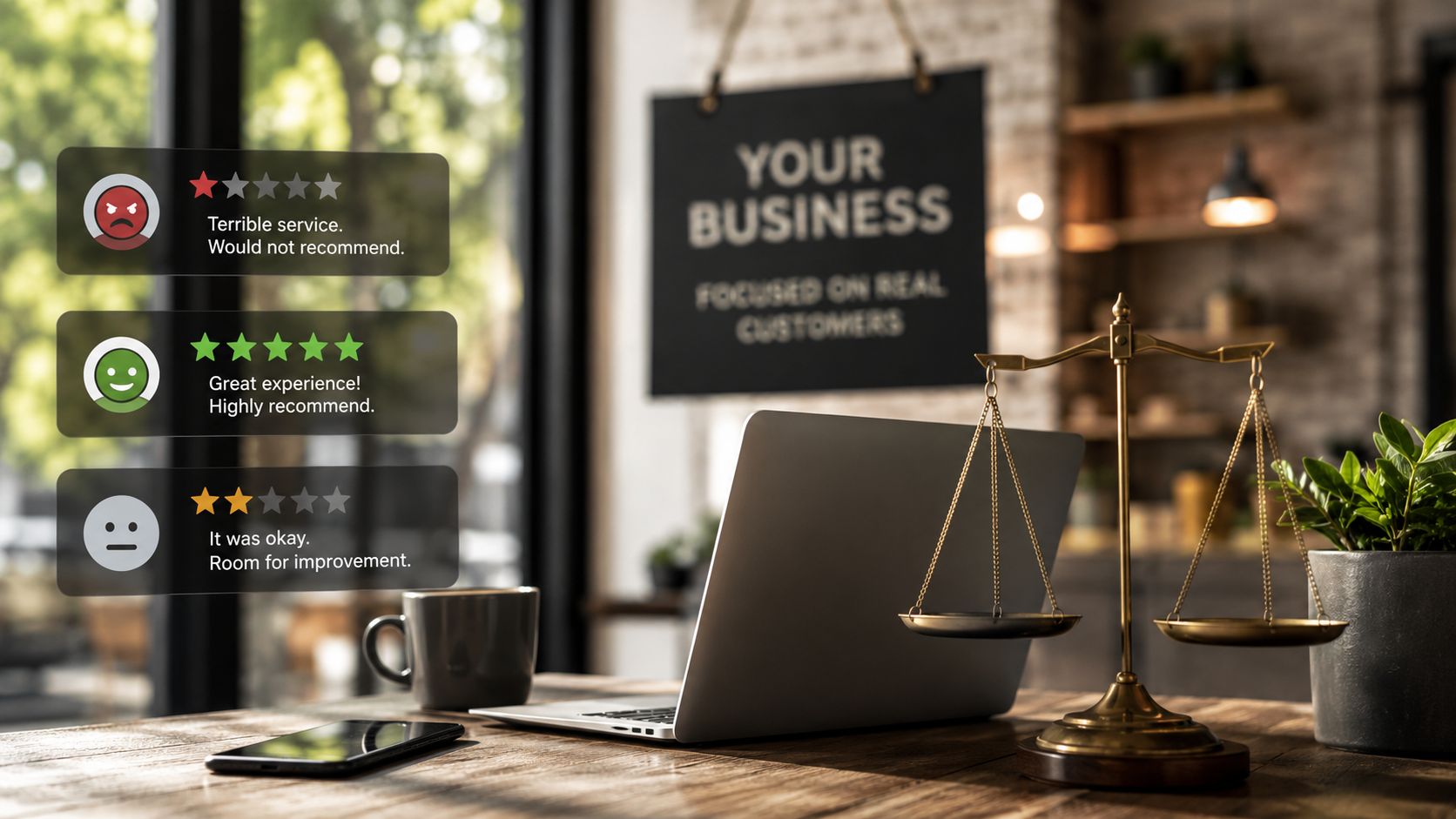
Customer reviews are the public-facing proof that your business cares and adapts. A quick response to every review—positive or negative—demonstrates engagement and improves trust with potential customers. Unaddressed reviews do more harm than you think: each one left to linger for more than a few days is an unanswered question to the next person browsing your profile. By actively managing reviews, you not only protect your reputation but boost your local SEO, as Google highlights businesses that engage consistently.
‘A single unanswered review can say more than a hundred polished posts — stay in the reply game.’
2. Posting Cadence: Feed Fresh Content into Your Business Profiles
- Set a consistent posting schedule for new updates and offers
- Highlight seasonal promotions to boost local search visibility
- Use photos and videos to enhance engagement
Google’s algorithms reward fresh, relevant content. Businesses that schedule weekly posts, share news, and promote special offers not only maintain high visibility in the local search results but also foster ongoing customer engagement. This active posting cadence helps return your business to customers’ minds right when they’re searching for your products or services. Use a content calendar to plan updates, showcase your team, and spotlight products—each post is an extra touchpoint that can turn browsers into buyers.
3. Photo Strategy: Show — Don’t Just Tell — with Rich Media
- Add high-quality photos of your storefront, team, and products
- Rotate images regularly to stay current and improve search results
- Add a video short linked in from your YouTube channel.
Images are among the first elements customers notice on your profile. Investing in professional, up-to-date photos of your storefront, staff, services, and even your location’s surroundings helps customers find your business and forms a strong first impression. Updating your gallery frequently keeps content relevant, signals activity to Google, and can even push your profile higher in rankings. 360-degree images further enhance trust, offering a virtual window into your place, making it easy for new visitors to recognize you.
Businesses with active photo strategies consistently outperform those with generic or outdated images—visual storytelling is now central to standing out on Google.
4. Google Phone Audit: Audit How Customers Connect with Customers
- Test call controls and responsiveness
- Update out-of-date contact numbers
- Leverage call history insights to manage your business activity
Your phone number is a direct link between you and new business, yet so often it’s overlooked. Test it: can callers reach you smoothly? Is your staff prepared? Updated, working numbers mean fewer missed opportunities and zero frustrated customers. Google’s new call tracking and history features provide valuable insights into when and how customers connect, highlighting bottlenecks or dropped communications. Regular phone audits are essential for brick-and-mortar shops and service providers alike.
5. FAQ Content: Answer the Questions Customers Actually Ask
- Include frequently asked questions to improve your business info
- Update answers based on trending inquiries
- Use structured keyword-rich content to boost local SEO relevance
A strong FAQ section is a shortcut for both customers and Google’s understanding of your business. Regularly updated, structured answers help preempt questions, reduce call volume, and guide potential customers to take action. Google reads and indexes these responses, so optimizing them improves search results placement. Keep content dynamic—new products, services, or policies should trigger updates to your FAQ.
6. 360 Photo Guidance: Enhance the Find Your Business Experience
- Create a guided virtual tour using 360 photos
- Update imagery as your business layout evolves
- Make customers feel more confident before visiting
A 360-degree tour is now an expected feature for many businesses. Whether you’re a gym, restaurant, or shop, this immersive content helps customers find your business and visualize visiting before they arrive—reducing uncertainty and boosting foot traffic. Keep these tours fresh by updating them whenever your layout changes or you roll out new features. Customers appreciate transparency, and Google rewards profiles that go beyond basic images.
7. Multi-Location Coordination: Scaling the Google Business Profile Roadmap
- Maintain consistency across all business profiles
- Centralize updates for local search success
- Monitor duplicate locations and merge as needed
Managing multiple locations requires a central command. Consistency is critical: operating hours, phone numbers, branding, and descriptions must align across all locations to avoid customer confusion and boost overall search credibility. Google pays attention to duplicate or out-of-date listings—coordinate updates, monitor for errors, and merge duplicates promptly. Efficient coordination ensures your entire business footprint stays accurate in local search.
8. Insights and Reporting: Data-Driven Decisions for Online Presence
- Use Google insights to track customer actions on your business profile
- Benchmark performance against local competitors
- Optimize content and business info based on analytic trends
Analytics aren’t just for big brands. Google’s insights tool is a free tool that provides actionable data on how customers interact with your profile—calls, direction requests, website clicks, and more. By reviewing these trends weekly, you identify what’s working and where adjustments need to be made. Businesses that monitor and act on these insights outperform those who simply “hope for the best. ” Over time, these tweaks result in a measurable lift in search visibility, engagement, and ultimately, revenue.
‘Google is now doing the work your profile was supposed to do — optimize, or Google will do it for you, not always in your favor.’
How to Optimize Google Business Profile Roadmap for 2026
Step-by-Step Google Business Profile Roadmap Optimization
- Audit your business information for accuracy
- Refresh all photos and add a video tour
- Schedule weekly posts and updates
- Review and respond to all customer reviews — good and bad
- Set up and update FAQs
- Test all points of contact weekly
- Monitor insights and adjust based on data
Optimizing your Google Business Profile roadmap for local SEO and online presence is straightforward when you follow a proven process. Start with a detailed audit—double check your location, hours, and contact info across all business profiles. Upload crisp, branded photos and a short video tour to enhance your visual appeal. Plan and schedule posts—special offers, events, and updates—so you have a steady drumbeat, not just bursts of activity.
Respond promptly to every customer review to boost your business profile’s reputation and improve local SEO through active customer engagement. Refresh your FAQ section with real customer queries and update business information as needed. Run a simple call and contact audit weekly to ensure you never miss a lead. Finally, check Google Profile Insights for actionable trends and adjust your roadmap accordingly. Consistency and attention to detail can transform your profile from a forgotten asset into a driver of local leads and loyal returning customers - the road that leads to real revenue.
Dive into our expert walkthrough highlighting real updates, review responses, media uploads, and insights extracted in real time—demonstrating how simple, steady maintenance can supercharge your online presence.
People Also Ask: Google Business Profile Roadmap in 2026
What is the 20% rule in Google?
'The 20% rule refers to... [Expert explanation based on latest guidance]'
Answer:
The 20% rule in Google historically referenced the principle that any text overlays on images or cover artwork should not exceed 20% of the total image area, to ensure the content remains visually clear and engaging. For Google Business Profile, it also refers to maximizing your most important updates and offers—but not overwhelming visitors. Use concise, high-impact text that makes up about 20% of your visual profile assets, letting photos and videos tell most of your story.
How to optimize Google Business Profile 2026?
'Optimization in 2026 is proactive: updating photos and info weekly, actively responding to customer reviews, and leveraging new features to stay ahead.'
Answer:
Optimizing your profile in 2026 means taking control every week. Audit your business info, refresh images and videos, and respond to every customer review quickly. Use Google’s new features—analytics reports, 360 photos, and updates—to increase your visibility in local search and stay ahead of businesses that let their profiles sit idle.
How to create a Google business map?
'Creating a Google business map involves claiming your listing, adding business information, and submitting location data via Google Maps platform.'
Answer:
To create a business map, start by searching for your business on Google Maps, then select “Claim this business. ” Enter your accurate business information—address, service area, contact details, and hours. Submit verification (usually via postcard or phone), and complete your profile by adding photos, descriptions, and FAQ. Once verified, your business will appear in both search and maps, helping customers find you seamlessly.
What are common GMB mistakes?
'Common mistakes include outdated business info, missing reviews, infrequent updates, ignoring new features that can boost local SEO and most important: responding rapidly to reviews both good and bad.'
Answer:
Avoid letting your profile become neglected: don’t leave incorrect info, ignore reviews (positive or negative), skip posts, or forget about new features like 360 tours. Many business owners also miss key updates to operating hours or fail to merge duplicate listings, causing confusion and harming both local SEO and customer trust. Proactive management and following the google business profile roadmap keeps your profile accurate, compelling, and visible.
Frequently Asked Questions about Google Business Profile Roadmap
- What are the most direct benefits of maintaining my business profile?
By actively maintaining your business profile, you ensure your information is always accurate, appear more frequently in local search results, and earn more trust from both potential customers and returning customers. This leads to increased calls, visits, and real revenue. - Can I automate any tasks outlined in the google business profile roadmap?
Yes, some repeatable tasks like posting updates, scheduling photos, and tracking reviews can be automated with tools or delegated to partners. However, personalization—like review replies—should be reviewed by a real person for best results. - How does the roadmap impact first-page local search results?
The roadmap’s focus on consistent updates, accurate business info, and user engagement (recent reviews) is exactly what Google’s local algorithm looks for when deciding which business profiles to surface on page one of search results.
Key Takeaways: Mastering the Google Business Profile Roadmap
- Google business profile roadmap is now mission-critical for local SEO
- Neglect leads Google to auto-populate with its own sources, risking inaccurate business information
- Active management means more visibility in search results and better customer engagement
- Leverage tools and partners like Rising Review LLC to stay ahead
Move from Passive to Proactive with Your Google Business Profile Roadmap
It’s time to move from “set it and forget it” to consistent, proactive management of your Google Business Profile. Don’t surrender the story of your business to someone—or something—else.
Visit risingreview.com for more information
Take charge of your business profile to ensure every customer finds the real story—your story—first and enhances your online presence. Don’t wait for Google to decide for you.