QR Codes for Google Reviews: Do They Actually Work?

Mary Theresa McLean • 11 September 2026

Picture this: you’ve wrapped up a great meal at a St. Louis restaurant, received your receipt, and there’s a QR code inviting you to leave a Google review. Do you stop to scan it, or walk right by? For St. Louis small business owners who’ve tried QR codes for customer reviews, the results can feel like a mystery. The truth is, QR codes for Google reviews do work—if, and only if, you set them up right: with a direct review link, at the perfect moment, and with a clear call to action. This article tackles the real results behind QR codes, cutting through the hype to help you decide if they’re worth the effort—and how to win more Google reviews the smart way.


Do QR Codes Work for Google Reviews? A Direct, Honest Answer


"QR codes for Google reviews absolutely work — but only if the link, placement, and timing are right. They’re a tool, not a magic button. " — Rising Review Expert

Do QR codes work for Google reviews? Yes, but there’s a catch. A review QR code is not a shortcut to instant five-star reputation. Success depends on execution: the QR code must lead directly to your Google review form (not just your Business Profile), be placed where customers naturally pause—like at a checkout counter or after a service—and be introduced with a specific, friendly instruction. When these conditions are met, QR codes make it radically easier for customers to leave a review. But miss any of these pieces—and your QR code may gather dust, just like a business card or random social media post. St. Louis businesses who tried and saw little response are often missing just one of these crucial steps. Set up properly, review QR codes convert in-person goodwill into real, public feedback that helps grow your local search rankings and reputation.


What You’ll Learn About QR Codes and Google Reviews


  • What a QR code for Google reviews actually does (and doesn’t do)
  • Conditions that make QR codes effective for customer reviews
  • Industry-specific placement ideas for qr codes
  • Mistakes that lead to underperforming review qr codes
  • Practical steps to create and track a review qr code for your business
  • Why qr codes should be part of a multichannel online reviews strategy


What Value Do QR Codes for Google Reviews Actually Offer?


How QR Codes Remove Friction in Customer Reviews


QR codes answer a key problem in the Google review process: making it as painless as possible for customers to leave a review. Instead of asking someone to search your business name (and risk landing on the wrong listing), a review QR code delivers customers directly to the review prompt with a single scan. This streamlined experience removes nearly all friction—no browser typing, no second-guessing if they’ve found the right business profile, and no need to hunt for that “leave a review” button. As a result, you make it much more likely for happy customers to actually leave feedback in the moment when their positive experience is fresh.


  • Instant access to the review form without typing or searching
  • Directs customers to your Google Business Profile’s review prompt
  • Eliminates confusion and extra steps


QR Codes vs. Traditional Online Review Requests


Let’s compare the two most common approaches. Traditionally, a customer wanting to leave a review must search for the business on Google, hope they find the correct result, click through the profile, and then hunt for the “Write a Review” prompt. It’s no surprise that only a fraction complete this process. With a QR code for reviews, the action is immediate: scan, tap, and review—all in seconds. This reduction in steps means higher conversion, especially at physical points of service.


Traditional Process QR Code Process
Customer required to search business, find correct listing, click to leave review Customer scans code, lands directly on review form

When Do QR Codes Work Best for Customer Reviews?


What Determines a Successful Google Review QR Code?


Not all QR codes are created equal—especially when it comes to online review generation in the bustling local markets of St. Louis. The difference between a forgotten review QR and one that drives a steady stream of feedback is all in the setup:


  • Direct review link (not just Business Profile homepage)
  • QR code placement at high-attention, low-distraction moments
  • Clear one-line instruction for customers (e.g., “Loved your visit? Scan to leave a review.”)
  • Implementation with UTM/link tracking for real conversion data
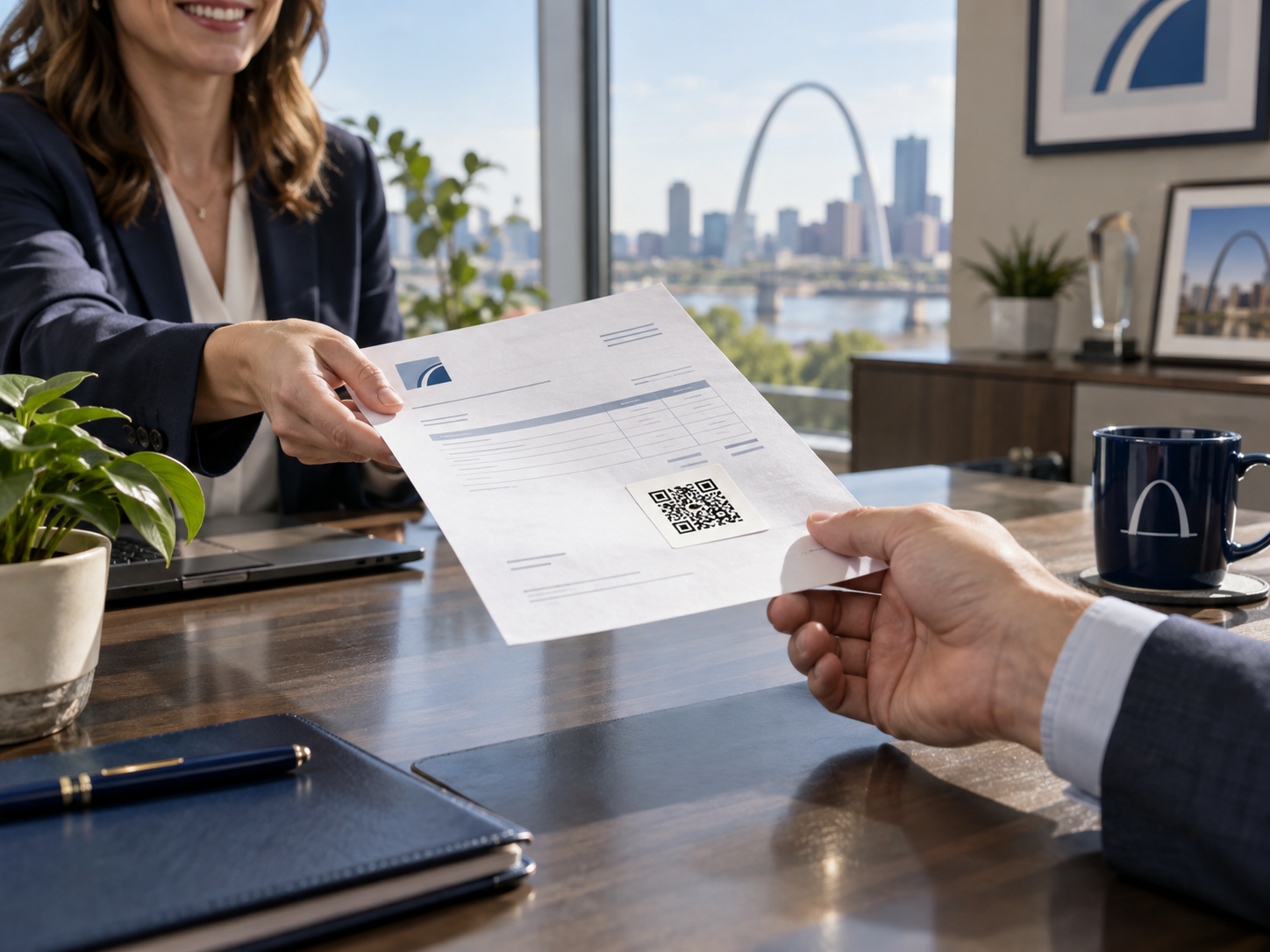


The magic isn’t the code—it’s whether you match the review request to the customer’s context. Catch them when they’re most likely to leave a review—after a great meal, at the service finish, or while checking out—paired with a one-click review link, and your scan-to-review rates climb.


Best Industry-Specific Placements for QR Codes (St. Louis Examples)


The key to maximizing QR code performance for Google review requests is industry-specific timing and placement. Here are proven placements for local St. Louis businesses:


  • Restaurants: Receipts, table tents, exit doors
  • Home Services: Final invoice, leave-behind cards
  • Medical/Dental: Checkout desk, after-visit summary
  • Retail: Packaging inserts, POS counter


Whether it’s a table tent on your restaurant’s best table, an invoice handoff after a successful home service job, or a checkout counter sign at a retail location, placing your review QR code where customers linger—not rush—makes all the difference. Tailor your setup to the rhythm of your business to collect more reviews with less effort.


Where Do QR Codes Underperform for Google Reviews?


Common Mistakes: Poor QR Code Placement & Context


It’s easy to make a review QR code, but just as easy to waste the opportunity. QR codes that don’t get scanned typically suffer from one of these fatal flaws:


  • Takeout bags or packaging opened at home
  • Cards handed out in passing without interaction
  • Waiting room TVs or fast-moving outdoor locations
  • No clear call to leave a review next to QR code
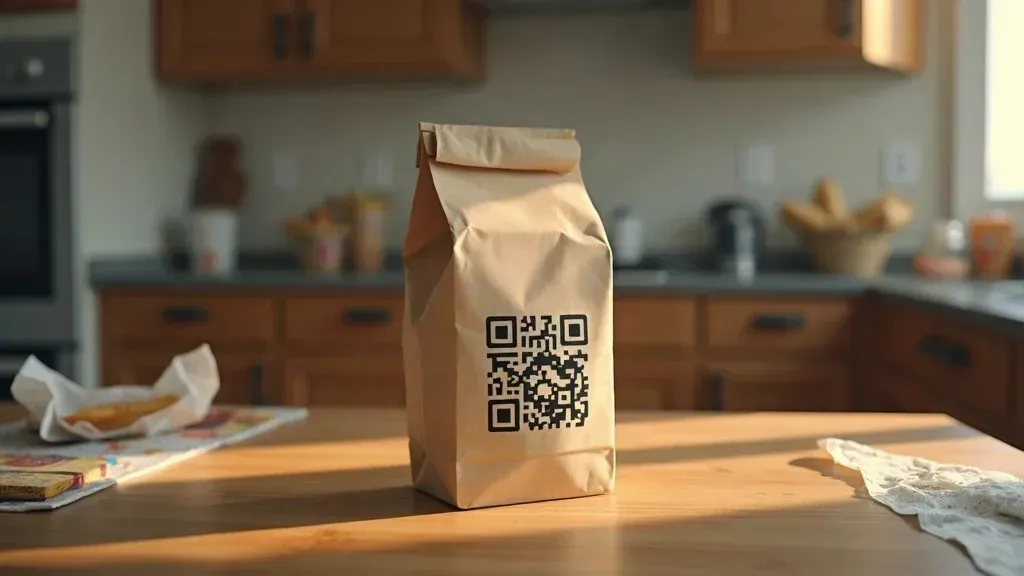

When review QR codes are out of sight, out of mind, or lack instructions, customers don’t act. St. Louis businesses hoping for reviews from a code on a takeout bag (opened hours later at home) or a business card handed out without context often see zero new feedback. The lesson: context and timing beat novelty every time.


Warning: Don’t Use QR Codes to Gate Reviews


  • Google prohibits filtering negative feedback with qr codes
  • Link should go directly to unfiltered review form
  • Gating reviews risks penalties and lost trust
"If you use a QR code to steer only happy customers to Google and others elsewhere, that’s review gating — and Google will find out. " — Rising Review Advisor

Trying to “filter” positive reviews through QR codes by asking unhappy customers to leave feedback elsewhere violates Google’s review policy. Not only can this lose you real reviews, but it could also result in penalties on your profile. Always send your QR link straight to the official review page—and make every customer’s feedback easy and valued, not selectively filtered.


How Should You Create a Google Review QR Code for Maximum Effect?


Step-by-Step: Building an Effective Review QR Code


  1. Copy your direct Google review link (from your Google Business Profile)
  2. Use a reputable QR code generator to create your review qr code
  3. Add UTM or link tracking to gauge real scan-to-review conversion
  4. Design the code so it’s visible and scannable (test with multiple devices)
  5. Add a one-line instruction beside the code (e.g., “Liked our service? Scan to leave a review!”)
  6. Print QR codes on materials matched to your industry’s best timing and placement
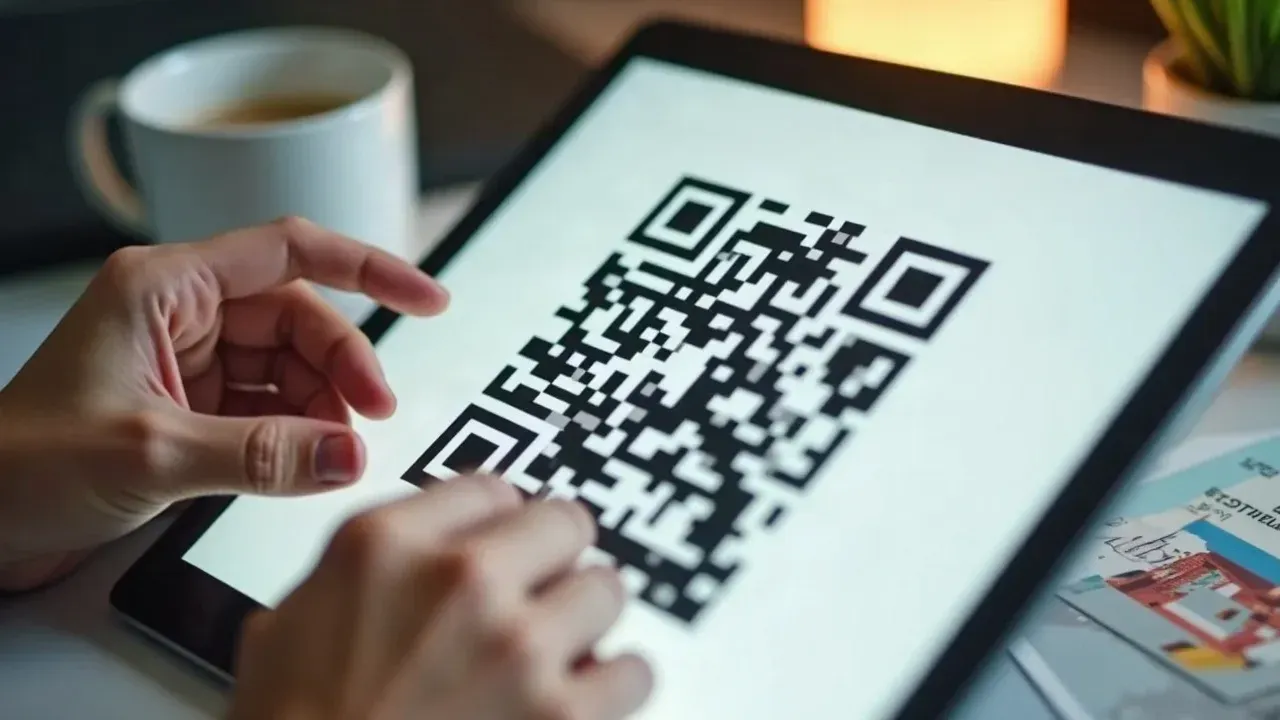

To collect more reviews and truly measure the impact, track every unique QR code by location, event, or campaign. Analyze which placements (receipts, table tents, checkout counters) drive the most reviews—then double down there.


Should You Replace All Text and Email Review Requests with QR Codes?


QR Codes as Part of a Multi-Channel Online Reviews Strategy


  • Best results come by combining qr code, text, and email requests
  • Leverage QR codes for in-person touchpoints, texts/emails for post-visit follow-up
  • Use tracking to identify which channel converts best for your St. Louis audience
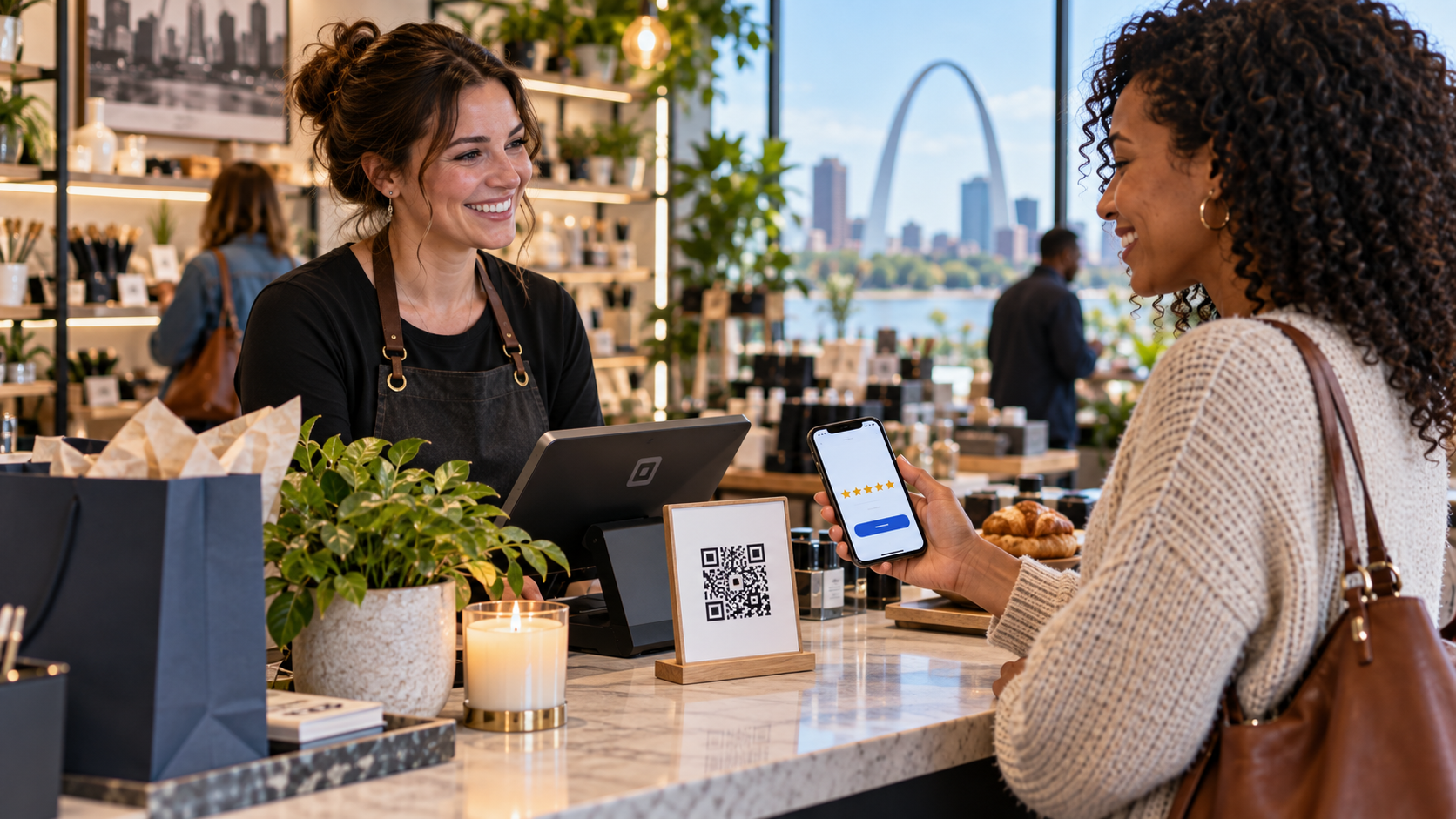

Don’t put all your eggs in one basket: QR codes won’t replace text or email review requests. Instead, use them together. QR codes shine at in-person moments—right after a great experience—where traditional follow-up may be ignored. Meanwhile, texts and emails keep the conversation going after the visit is over. When you track scans, clicks, and actual reviews across channels, you’ll see what works best for your St. Louis customer base and can focus your energy where it counts.

How to Track If Your Google Review QR Codes Actually Work

Measuring QR Code Effectiveness: Beyond Guesswork

  • Set up unique tracking links for each qr code placement
  • Monitor scans-to-review completion rates to identify high-performing locations
  • Use data to refine placement and instructions for greater impact


Stop guessing whether your review request is delivering results. Use UTM codes or link trackers for every QR code location—from your checkout counter to your table tent. By reviewing actual scan and review data, you’ll know which placements inspire customers to leave feedback, letting you fine-tune your review strategy for real growth in both local search and customer trust.

People Also Ask: Google Review QR Codes

Can you make a QR code for Google reviews?

Yes. Simply copy your Google review form link and use a trusted QR code generator to turn it into a scannable code. Make sure the link lands customers directly on the review prompt—not your home page—so feedback is as frictionless as possible.

How to scan QR code for Google reviews?

Open your smartphone’s camera app, point it at the QR code, and tap the pop-up link. It should take you straight to the Google review form.

Can I scan a Google review QR code online?

Yes, you can scan QR codes displayed on websites or screens using your phone’s camera or QR scanner app. This opens the Google review form in your browser if the code is set up correctly.

How to print out a QR code for Google reviews?

Download the generated QR code image, open it in a design or word processing program, add a one-line instruction, then print it onto receipts, table tents, or signage—placing it where customers will actually see and use it.

Quick FAQ: Do QR Codes Work for Google Reviews?

  • What should a Google review QR code link to? The direct Google review prompt—not just your Business Profile page.
  • Do QR codes work better than text requests? Only in specific scenarios. They work best in-person; texts/emails are better for follow-up.
  • Can I put a QR code on a receipt? Yes, and it’s one of the best placements for restaurants and retail.
  • Do customers actually scan QR codes for reviews? They do—when the code is visible, timing is right, and there’s a clear call to action.

Key Takeaways: QR Codes for Google Reviews

  • QR codes work for Google reviews — if placement, link, and timing are right.
  • Poorly executed QR codes often underperform: context and clear instructions are non-negotiable.
  • Direct review links (not profile links) drive more customer reviews.
  • Industry context matters: use St. Louis-specific best practices for maximum results.
  • QR codes are just one part of a robust customer reviews strategy — real results require tracking and integration with other channels.

Ready to Capture More Google Reviews? Make Your QR Codes Work as Part of a Complete System

If you want reliable, honest customer reviews that help your St. Louis business stand out, treat QR codes as one powerful tool—backed by smart placement, direct links, and ongoing tracking. Get the system right, and watch your online reputation grow—one real review at a time.

Sources


by Mary Theresa McLean 7 September 2026
What if the reason your Google reviews are lukewarm—or missing altogether—has nothing to do with your service, and everything to do with when you ask? Most businesses think the best time for a review request is right after checkout or days later in a follow-up email. But new insights, rooted in customer psychology, reveal that the perfect timing is neither of these. This guide exposes the real answer and hands you the practical tools to transform your review strategy—backed by the latest behavioral research and tailored for St. Louis small businesses. What You'll Learn About the Best Time to Ask for a Google Review Why the timing of your review request dramatically impacts results Industry-specific insights for home services, restaurants, medical/dental, and retail Practical customer psychology concepts like the satisfaction peak and recency bias Actionable automation tips to boost your online review volume and reputation How to align review request timing with Google’s compliance guidelines Direct Answer: When Is the Best Time to Ask for a Google Review? The best time to ask for a Google review isn’t a universal moment—it’s directly after the customer’s satisfaction peak: the emotional high point of their experience, not simply the moment the transaction closes. For St. Louis businesses, timing your review request to sync with this satisfaction peak varies by industry but always outperforms generic, delayed, or at-checkout asks. Whether you run a home services company, restaurant, dental office, or retail business, mapping your ask to the point when the customer feels their needs were truly met is the secret to gaining more—and better—online reviews on the search platform.  Why Asking Immediately After a Transaction Doesn’t Always Work
by Mary Theresa McLean 5 September 2026
Imagine a busy Saturday in St. Louis: customers stream into local businesses, and nearly every one decides where to shop or dine based on Google reviews they just scanned on their phones. If you want your small business to stand out in the local pack, attract more customers, and build lasting trust, mastering how to get more Google reviews for small business is absolutely vital. This guide shows you — clearly and step by step — exactly how to do it, so you never fall behind the competition again. How to Get More Google Reviews for Small Business in St. Louis: A Direct Answer  To get more Google reviews for your small business in St. Louis, set up your Google Business Profile; create and share a direct review link or QR code; ask customers promptly after a transaction using channels like email, SMS, receipts, and in-person scripts; and follow a simple, repeatable process. Always respond to reviews and avoid incentivizing or gating requests. These steps ensure you grow authentic reviews, improve your local pack ranking, and establish trust with St. Louis customers who rely heavily on platform reviews to make buying decisions.
by Mary Theresa McLean 4 September 2026
Have you ever wondered how bad reviews actually affect businesses and why the FTC's new crackdown on fake ones matters? Discover the hidden costs and why understanding this shift is crucial for customers and companies alike. What You'll Learn About Bad Reviews and the New FTC Rule Understand the financial impact of bad reviews Recognize the new FTC regulations and what constitutes illegal reviews Learn how to ethically manage negative reviews and build genuine positive reviews Identify actionable steps to protect your business reputation  Opening Perspectives: The Hidden Costs of Bad Reviews
by Mary Theresa McLean 9 July 2026
Posted by Mary Theresa McLean, Founder and CEO | Reviews to Real Revenue
by Mary Theresa McLean 30 June 2026
Imagine unlocking your business’s full potential on Google—only to let it slip away because you assumed your profile was “set and forget. ” In 2026, that approach risks not just missed opportunities, but Google itself taking over your narrative. Your Google business profile roadmap is no longer a background asset—it's now a high-impact, always-on marketing channel that can drive visitors through your door or let them slip to the competition. Are you in control, or is Google filling the gaps for you? What You'll Learn in This Google Business Profile Roadmap How the Google Business Profile roadmap impacts your search results and boosts your local SEO Key changes for business profiles that affect your online presence Step-by-step tasks to manage your business proactively Techniques for leveraging customer reviews and business information Why the Google Business Profile Roadmap Is Essential in 2026 If you’re a business owner who created a Google profile years ago and haven’t touched it since, 2026 is your wake-up call . Google has fundamentally transformed business profiles from static listings into dynamic, interactive channels that directly impact local search rankings, customer reviews, and your overall online presence. Today, if your profile isn’t kept current, Google steps in—pulling information from the web, competitors, or even customer-submitted edits. That means your business information, special offers, phone number, and business description might not reflect your business’s true strengths—or worse, could mislead potential customers. Don't let this disaster happen. This roadmap is designed especially for owners who know the dangers of passive management: loss of control, inaccurate details, missed calls, and even negative reviews left unresolved. The move from “set it and forget it” to “maintain or be replaced” is real. Mastering the Google Business Profile roadmap means not only protecting your brand but also attracting more customers and staying ahead of competitors in local SEO and local search results. Google won’t wait for you to catch up—take back control before your profile becomes a liability. From Static Asset to Live Channel: The 2026 Shift Once-upon-a-time, setting up your business profile on Google meant entering your details and moving on. But in 2026, your profile is a live channel—a heartbeat of your local SEO and real-time connection to potential customers. With consumers expecting up-to-the-minute info, and competition in the search and map pack tighter than ever, a neglected profile fades fast in the rankings. Google now indexes posting activity, photo freshness, review responses to both good and bad reviews, and more. This creates new opportunities to showcase your business—if you stay current—but also new risks if you don’t. Businesses that treat their profiles as passive assets watch as competitors who update regularly are bumped up in search results, getting more calls, questions, and foot traffic. The biggest shift? Inaction is visible. A “quiet” profile signals to Google (and customers) that you might not be open, active, or attentive, which means Google is likely to show alternatives that better reflect real-time relevance. If you want to show your business in its best light, proactive management is the new baseline—not an optional extra. The Real Risk: Google Fills Gaps in Your Business Profile The most urgent, overlooked risk in 2026 is that if you don’t actively manage your google business profile roadmap, Google will take over—automatically populating your profile with information it finds elsewhere online. This can include user-submitted edits, web-crawled data, or even images and answers from third-party sources you don’t control. While automated updates might keep generic info current, they often miss the nuances that matter. Incorrect service areas, old operating hours, even unverified phone numbers can creep in, causing confusion, missed inquiries, or damaging trust with potential and returning customers. In the case of a restaurant, an outdated menu showing old prices can result in an angry (hangry!) customer who saw the menu on your Google profile and thought it was current. Relying on Google’s “fill in the blanks” approach is like handing over the keys to your online reputation. Businesses who allow their profiles to stagnate risk not only losing customers but being misrepresented. Negative reviews may sit unaddressed, special offers go unseen, and your business may become invisible in local search. The new rules are clear: what you don’t manage, Google will—and not always in your favor. You have the power to be in control of your Google Business Profile - just do it regularly. Understanding the Google Business Profile Roadmap What Is a Google Business Profile Roadmap? A google business profile roadmap is a practical, step-by-step strategy that helps you actively manage and optimize all facets of your business profile on Google—from posting updates and monitoring reviews, to keeping your business information and imagery fresh. Think of it as a maintenance checklist for your digital storefront. Instead of hoping your profile attracts the right eyes in local search, you use the roadmap to guide proactive actions that keep you visible, accurate, and competitive. Unlike the set-it-and-forget-it era, today’s roadmap is essential for any business owner who wants to improve local SEO, connect with customers, and drive results without wasting time on trial and error. The best roadmaps leverage proven workflows—pulling in analytics, customer feedback, and competitive insights—to ensure your business profiles deliver a steady stream of calls, visits, and glowing customer reviews and responses. How Google Business Profile Roadmap Shapes Search Results An actively managed business profile tells Google your business is alive and attentive, directly improving your visibility in search results and on Google Maps for better local SEO. Each update—be it a new photo, a response to a review, or an FAQ tweak—signals freshness, which boosts your chances of landing in the coveted “local pack. ” Businesses committed to their roadmap gain a powerful edge in local search results, consistently outranking those with outdated or neglected profiles. Google’s algorithms value engagement, accuracy, and relevance. Profiles with regular updates, current business info, and robust customer reviews see higher click-through rates, more direct actions (calls, directions, website visits), and better conversion. By shaping the data Google sees, you control not just your appearance—but also how many potential customers choose you over competitors. Active roadmap management is the fastest route to first-page placement in search and maps. Local SEO and the Evolving Business Profile Local SEO in 2026 is powered by a reliable, actively curated business profile that helps Google show your business quickly and easily. In a crowded digital landscape, customers find your business faster when your Google profile is up to date—showcasing recent photos, accurate offerings, and engaging content. Google awards higher rankings to businesses that regularly interact with reviews and responses, provide updated service area information, and post offers and news. The evolving expectations require more than periodic check-ins: consistency is rewarded, and automation (when done correctly) can streamline updates across multiple locations. SEO experts recommend regular review responses, content refreshes, and image rotations to stay ahead. The businesses dominating local search aren’t luckier—they’re simply following the google business profile roadmap with discipline and the right set of tools. Why Maintaining Business Information Matters in 2026 Maintaining up-to-date business information is non-negotiable in 2026 to ensure customers find accurate business info and trust your profile. Outdated hours, old contact details, old menus or stale descriptions can lead to frustrated potential customers or even negative reviews. When a customer finds your business, their immediate questions—where are you, when are you open, what do you offer—must be answered at a glance. Google prioritizes profiles where these details are accurate and routinely verified. Letting your business info drift means risking your reputation and search ranking. Even small changes (like holiday hours or new COVID policies) should be reflected in real time. Plus, if Google resorts to pulling these from the web, errors compound, and fixing them retroactively becomes a nightmare. The business owners who win are the ones who never let their profile’s “last updated” date go stale. Eight Key Tasks: Stay Ahead with the Google Business Profile Roadmap 1. Review Responses: Protect and Promote with Customer Reviews Respond promptly to customer reviews to build trust Monitor and flag inappropriate reviews Showcase positive reviews prominently on your business profile Customer reviews are the public-facing proof that your business cares and adapts. A quick response to every review—positive or negative—demonstrates engagement and improves trust with potential customers. Unaddressed reviews do more harm than you think: each one left to linger for more than a few days is an unanswered question to the next person browsing your profile. By actively managing reviews, you not only protect your reputation but boost your local SEO, as Google highlights businesses that engage consistently. ‘A single unanswered review can say more than a hundred polished posts — stay in the reply game.’ 2. Posting Cadence: Feed Fresh Content into Your Business Profiles Set a consistent posting schedule for new updates and offers Highlight seasonal promotions to boost local search visibility Use photos and videos to enhance engagement Google’s algorithms reward fresh, relevant content. Businesses that schedule weekly posts, share news, and promote special offers not only maintain high visibility in the local search results but also foster ongoing customer engagement. This active posting cadence helps return your business to customers’ minds right when they’re searching for your products or services. Use a content calendar to plan updates, showcase your team, and spotlight products—each post is an extra touchpoint that can turn browsers into buyers. 3. Photo Strategy: Show — Don’t Just Tell — with Rich Media Add high-quality photos of your storefront, team, and products Rotate images regularly to stay current and improve search results Add a video short linked in from your YouTube channel. Images are among the first elements customers notice on your profile. Investing in professional, up-to-date photos of your storefront, staff, services, and even your location’s surroundings helps customers find your business and forms a strong first impression. Updating your gallery frequently keeps content relevant, signals activity to Google, and can even push your profile higher in rankings. 360-degree images further enhance trust, offering a virtual window into your place, making it easy for new visitors to recognize you. Businesses with active photo strategies consistently outperform those with generic or outdated images—visual storytelling is now central to standing out on Google. 4. Google Phone Audit: Audit How Customers Connect with Customers Test call controls and responsiveness Update out-of-date contact numbers Leverage call history insights to manage your business activity Your phone number is a direct link between you and new business, yet so often it’s overlooked. Test it: can callers reach you smoothly? Is your staff prepared? Updated, working numbers mean fewer missed opportunities and zero frustrated customers. Google’s new call tracking and history features provide valuable insights into when and how customers connect, highlighting bottlenecks or dropped communications. Regular phone audits are essential for brick-and-mortar shops and service providers alike. 5. FAQ Content: Answer the Questions Customers Actually Ask Include frequently asked questions to improve your business info Update answers based on trending inquiries Use structured keyword-rich content to boost local SEO relevance A strong FAQ section is a shortcut for both customers and Google’s understanding of your business. Regularly updated, structured answers help preempt questions, reduce call volume, and guide potential customers to take action. Google reads and indexes these responses, so optimizing them improves search results placement. Keep content dynamic—new products, services, or policies should trigger updates to your FAQ. 6. 360 Photo Guidance: Enhance the Find Your Business Experience Create a guided virtual tour using 360 photos Update imagery as your business layout evolves Make customers feel more confident before visiting A 360-degree tour is now an expected feature for many businesses. Whether you’re a gym, restaurant, or shop, this immersive content helps customers find your business and visualize visiting before they arrive—reducing uncertainty and boosting foot traffic. Keep these tours fresh by updating them whenever your layout changes or you roll out new features. Customers appreciate transparency, and Google rewards profiles that go beyond basic images. 7. Multi-Location Coordination: Scaling the Google Business Profile Roadmap Maintain consistency across all business profiles Centralize updates for local search success Monitor duplicate locations and merge as needed Managing multiple locations requires a central command. Consistency is critical: operating hours, phone numbers, branding, and descriptions must align across all locations to avoid customer confusion and boost overall search credibility. Google pays attention to duplicate or out-of-date listings—coordinate updates, monitor for errors, and merge duplicates promptly. Efficient coordination ensures your entire business footprint stays accurate in local search. 8. Insights and Reporting: Data-Driven Decisions for Online Presence Use Google insights to track customer actions on your business profile Benchmark performance against local competitors Optimize content and business info based on analytic trends Analytics aren’t just for big brands. Google’s insights tool is a free tool that provides actionable data on how customers interact with your profile—calls, direction requests, website clicks, and more. By reviewing these trends weekly, you identify what’s working and where adjustments need to be made. Businesses that monitor and act on these insights outperform those who simply “hope for the best. ” Over time, these tweaks result in a measurable lift in search visibility, engagement, and ultimately, revenue. ‘Google is now doing the work your profile was supposed to do — optimize, or Google will do it for you, not always in your favor.’ How to Optimize Google Business Profile Roadmap for 2026 Step-by-Step Google Business Profile Roadmap Optimization Audit your business information for accuracy Refresh all photos and add a video tour Schedule weekly posts and updates Review and respond to all customer reviews — good and bad Set up and update FAQs Test all points of contact weekly Monitor insights and adjust based on data Optimizing your Google Business Profile roadmap for local SEO and online presence is straightforward when you follow a proven process. Start with a detailed audit—double check your location, hours, and contact info across all business profiles. Upload crisp, branded photos and a short video tour to enhance your visual appeal. Plan and schedule posts—special offers, events, and updates—so you have a steady drumbeat, not just bursts of activity. Respond promptly to every customer review to boost your business profile’s reputation and improve local SEO through active customer engagement. Refresh your FAQ section with real customer queries and update business information as needed. Run a simple call and contact audit weekly to ensure you never miss a lead. Finally, check Google Profile Insights for actionable trends and adjust your roadmap accordingly. Consistency and attention to detail can transform your profile from a forgotten asset into a driver of local leads and loyal returning customers - the road that leads to real revenue. Dive into our expert walkthrough highlighting real updates, review responses, media uploads, and insights extracted in real time—demonstrating how simple, steady maintenance can supercharge your online presence.  People Also Ask: Google Business Profile Roadmap in 2026 What is the 20% rule in Google? 'The 20% rule refers to... [Expert explanation based on latest guidance]' Answer: The 20% rule in Google historically referenced the principle that any text overlays on images or cover artwork should not exceed 20% of the total image area, to ensure the content remains visually clear and engaging. For Google Business Profile, it also refers to maximizing your most important updates and offers—but not overwhelming visitors. Use concise, high-impact text that makes up about 20% of your visual profile assets, letting photos and videos tell most of your story. How to optimize Google Business Profile 2026? 'Optimization in 2026 is proactive: updating photos and info weekly, actively responding to customer reviews, and leveraging new features to stay ahead.' Answer: Optimizing your profile in 2026 means taking control every week. Audit your business info, refresh images and videos, and respond to every customer review quickly. Use Google’s new features—analytics reports, 360 photos, and updates—to increase your visibility in local search and stay ahead of businesses that let their profiles sit idle. How to create a Google business map? 'Creating a Google business map involves claiming your listing, adding business information, and submitting location data via Google Maps platform.' Answer: To create a business map, start by searching for your business on Google Maps, then select “Claim this business. ” Enter your accurate business information—address, service area, contact details, and hours. Submit verification (usually via postcard or phone), and complete your profile by adding photos, descriptions, and FAQ. Once verified, your business will appear in both search and maps, helping customers find you seamlessly. What are common GMB mistakes? 'Common mistakes include outdated business info, missing reviews, infrequent updates, ignoring new features that can boost local SEO and most important: responding rapidly to reviews both good and bad.' Answer: Avoid letting your profile become neglected: don’t leave incorrect info, ignore reviews (positive or negative), skip posts, or forget about new features like 360 tours. Many business owners also miss key updates to operating hours or fail to merge duplicate listings, causing confusion and harming both local SEO and customer trust. Proactive management and following the google business profile roadmap keeps your profile accurate, compelling, and visible. Frequently Asked Questions about Google Business Profile Roadmap What are the most direct benefits of maintaining my business profile? By actively maintaining your business profile, you ensure your information is always accurate, appear more frequently in local search results, and earn more trust from both potential customers and returning customers. This leads to increased calls, visits, and real revenue. Can I automate any tasks outlined in the google business profile roadmap? Yes, some repeatable tasks like posting updates, scheduling photos, and tracking reviews can be automated with tools or delegated to partners. However, personalization—like review replies—should be reviewed by a real person for best results. How does the roadmap impact first-page local search results? The roadmap’s focus on consistent updates, accurate business info, and user engagement (recent reviews) is exactly what Google’s local algorithm looks for when deciding which business profiles to surface on page one of search results . Key Takeaways: Mastering the Google Business Profile Roadmap Google business profile roadmap is now mission-critical for local SEO Neglect leads Google to auto-populate with its own sources, risking inaccurate business information Active management means more visibility in search results and better customer engagement Leverage tools and partners like Rising Review LLC to stay ahead Move from Passive to Proactive with Your Google Business Profile Roadmap It’s time to move from “set it and forget it” to consistent, proactive management of your Google Business Profile. Don’t surrender the story of your business to someone—or something—else. Visit risingreview.com for more information Take charge of your business profile to ensure every customer finds the real story—your story—first and enhances your online presence. Don’t wait for Google to decide for you.
Two people in a bright office cafe, one smiling at a phone beside a laptop and coffee cup
8 May 2026
Learn to turn happy customers into advocates with simple strategies. Boost your reviews & trust today!
You’re leaving money on the table when ignoring Google reviews, as lost revenue slips away from your
4 May 2026
You’re leaving money on the table if you ignore Google reviews. Learn how reviews, responses, and consistency drive trust, rankings, and real revenue growth.
Person in a blue shirt using a tablet at a desk in a bright office
20 April 2026
Learn to respond to Google reviews to boost trust & loyalty. Improve your online reputation today!